
What We Test
Outsourced Software Testing Services
If it’s software, websites, or mobile apps, we test it. The breadth of our outsourced software testing services is second to none. Our team has the expertise you can count on to test everything from websites and mobile apps to 3D Printing.
Our Software and Website Testing Services
Business is powered by software. Software is prone to defects. It is the responsibility of those who produce software to ship products that are as defect-free as possible so that business can run as usual. As release cycles get shorter it is becoming harder and harder to do all the testing that is necessary before the software is released. That’s where we come in. We’re your third-party sanity check. An outsourced software testing and QA partner you can count on when you need it most.
When you choose to outsource a business function you want to partner with someone that is going to take the time to get to know your company. Someone that cares as much about the success of your project as you do. That’s why we guarantee all our work. If you aren’t satisfied, we make it right on our dime. We take our role as your software QA partner seriously.
Here are some of the benefits of partnering with QualityLogic for your software testing and QA services needs:
- Onshore test lab that provides exceptional value at competitive prices without the language, culture, time zone, and distance challenges of offshore outsourcing
- Stable partner that has provided testing technology and services to enterprises and high tech industries for over 30 years
- QA engineering and testing services trusted by industry leaders
- Technical depth derived from a legacy of developing award-winning test tools
- Open source test tools expertise that allows us to deploy powerful industry standard test tools on our service projects
- We utilize technologies, such as virtualization and cloud computing, that allow us to scale our testing environment with minimal cost impact to you


Software Testing & QA That Improves Your ROI
- Maximize your ROI. Our USA testing team will be at least twice as efficient as an offshore QA alternative, and you only pay for the services you receive.
- Get to market faster. Expand your testing team to get through a QA bottleneck or crisis, or engage us on an ongoing basis to make sure you always hit your deadlines.
- Maintain control. You’ll benefit from our ability to work seamlessly with your internal QA testing teams and integrate with your development process — we adapt to you, going the extra mile to deliver what you expect.
- Eliminate costly mistakes. Your investment in expert quality assurance testing services pays off big time when you get it done right the first time.
Software Test Services for Any Technology
As a software testing company that has been around for over 30 years, we’ve developed the skillset to tackle pretty much any project you could throw at us. We got our start by building automated test tools for printer and fax companies. When web, mobile, and cloud-based applications started growing in popularity we started testing those as well. Our ability to adapt to change and master new technologies sets us apart from other software testing companies.
Our clients trust us to deliver superior software testing and quality assurance services. Some of the largest brands in the world put their confidence in our ability to deliver thorough, on-demand, on-budget software testing. We have proven proficiencies in testing software for technologies as diverse as big data, streaming media, 3-D printing, cloud-based applications, virtual and augmented reality, and the list goes on.We use the latest testing methodologies and tools and use a combination of manual and automated testing to ensure you are getting the test coverage you need, when you need it.
Software Testing Services: Our Complete Guide
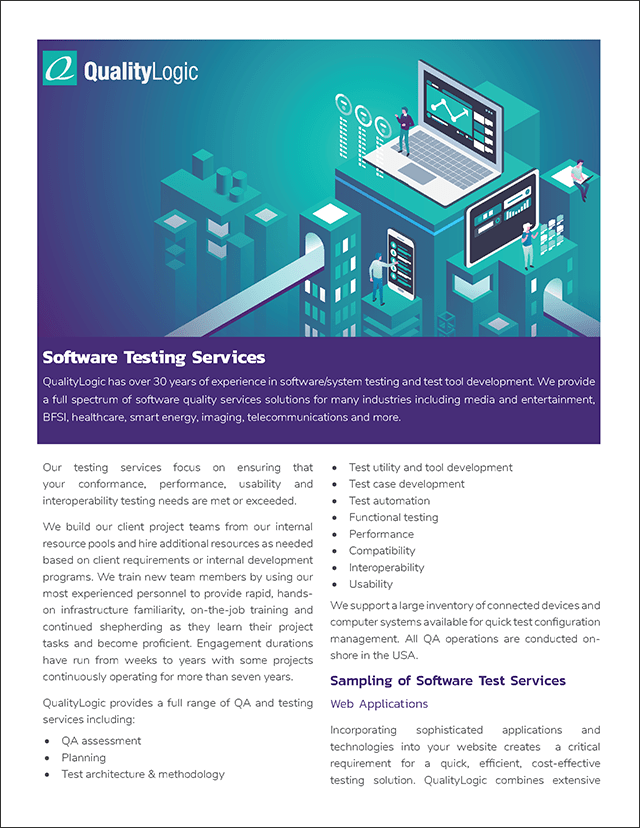
QualityLogic has over 30 years of experience in software/system testing and test tool development. We provide a full spectrum of software quality services solutions for many industries including media and entertainment, BFSI, healthcare, smart energy, imaging, telecommunications and more. Our testing services focus on ensuring that your conformance, performance, usability and interoperability testing needs are met or exceeded. We build our client project teams from our internal resource pools and hire additional resources as needed based on client requirements or internal development programs. We train new team members by using our most experienced personnel to provide rapid, hands on infrastructure familiarity, on-the-job training and continued shepherding as they learn their project tasks and become proficient. Engagement duration’s have run from weeks to years with some projects continuously operating for more than seven years.
Read Some of Our Success Stories
Over the 30 years we’ve been in business we have tested just about everything. From websites and mobile apps to 3D printer specifications and smart energy protocols. That’s why we say, “if it’s software, we test it”. Take a look at some of our customer success stories over the years.
Safeguard Your Brand with Smart Outsourced Software Testing Services
Want to learn more about how our QA testing services can safeguard your brand? Contact us to find out how we can improve your QA ROI.